
Timeout
The Timeout command executes the inner commands, after the time-out interval elapses. This command runs in parallel with the following commands. Specify the timeout in milliseconds. With this command, you can check a loop or http download event and intervene when the time is too long. You can stop the timeout function before expired, if assign the [timeout name]_stop variable to 1. You can use the alltimeout_stop variable to 1, that in project stop all timeout function, before expired. The [timeout name] variable will be set to 1, if the time-out interval elapses.
Description
Optionally, you may add comments here describing the purpose of this element.
Timeout name
The name of the timeout function.
Timeout (msec)
The time interval which, when expired, the internal commands are run, in milliseconds. Also, you can specify a variable name which contains the necessary timeout.
1000 // 1 second
mytimeout
#mytimeout#
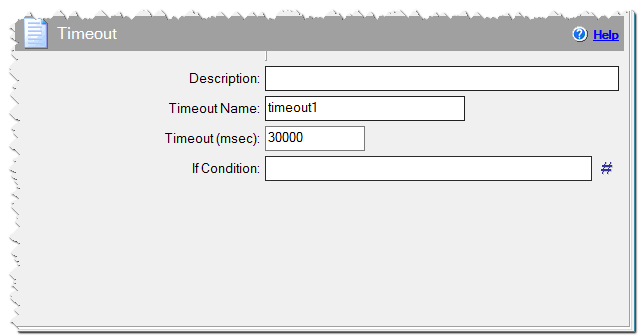
Timeout command
If Condition
You can specify a condition that should be met for the action to be performed. If the condition is false then the command is skipped. See How to use If Condition for more details.