
Global Environment - Set Value
Sets the value of a global environment variable.
Description
Optionally, you may add comments here describing the purpose of this element.
Environment Variable
The name of an environment variable.
Type
There are two types of environment variables: system variables and user variables. System variables are common across all the computer’s users, while user variables apply only for the current user. Here, you can specify which type of variable you wish to assign.
Set System Variable - assign system variable.
Set User's Variable - assign user variable.
Set System & User's Variable - assign system and user variables.
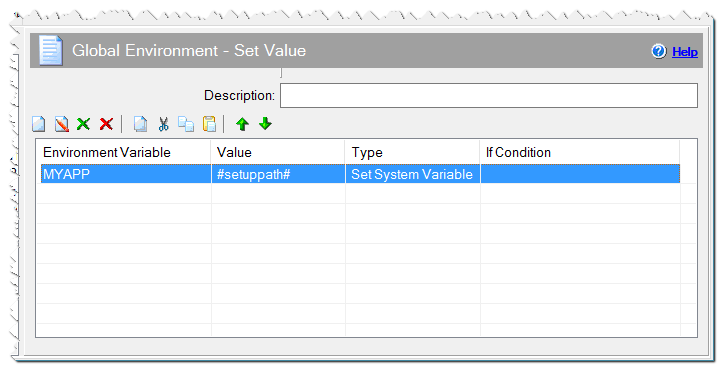
Global Environment - Set Value command
Value
The value of the environment variable being set. If you don't specify the value of an environment variable, that environment variable will be deleted.
#mypath#;#setuppath#
If Condition
You can specify a condition that should be met for the action to be performed. If the condition is false then the command is skipped. See How to use If Condition for more details.
Comment
You can add a comment for this setting here.