
Preferences
Settings
Language - the language for the CreateInstall interface.
Tree of commands
What text is shown in the tree of commands:
Show commands - Only the name of commands are shown.
Show commands and descriptions - The name of commands and descriptions are shown.
Show descriptions - Descriptions are shown only. If there is no description then the name of the command is displayed.
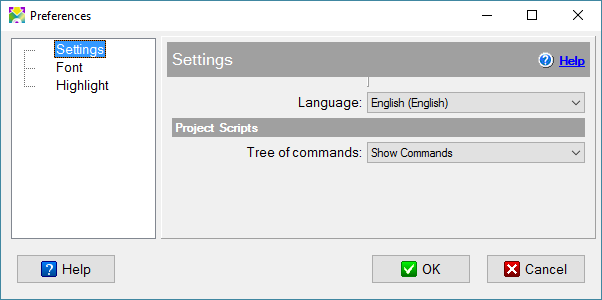
Installers's settings
Font
You can change the size and the weight of the font which is used in the program.
Check this checkbox if you want to use the system size of the font.
If you don't check the 'Default font' checkbox, you can specify another size of the font for CreateInstall. Also, you can specify the using of the bold font.
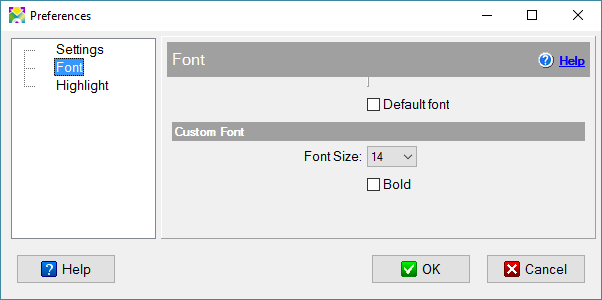
Font settings
Highlight
You can specify colors for the result of search and the Notice command.
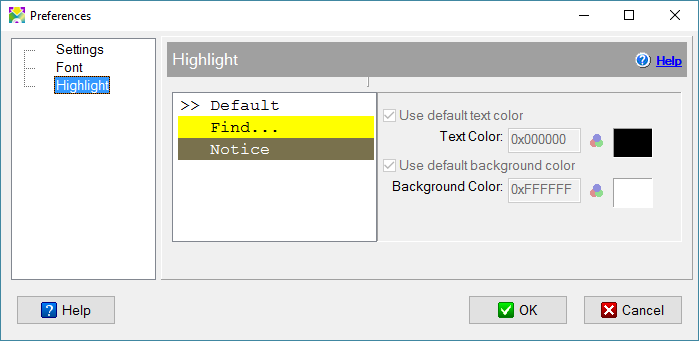
Highlight settings