
Exit/Reboot
Exits the installation or uninstallation program, or reboots the user's computer.
Description
Optionally, you may add comments here describing the purpose of this element.
Type
Select an action.
Exit - Exit the program.
Reboot - Reboot the user's computer.
Reboot with confirmation - A message is displayed to allow the user to reboot now or later. The program will be closed if the user chooses to reboot later.
Exit Code
Specify the value of the exit code here if you selected Type-Exit.
Error Message
If you specify this field, an error message with this text will be shown before the program closes.
This application requires Windows 2000 or greater!
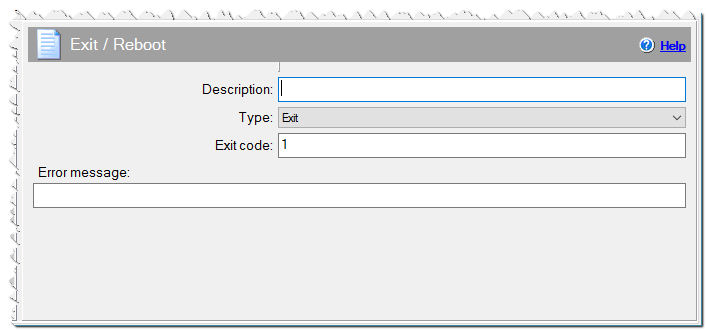
Exit/Reboot command
If Condition
You can specify a condition that should be met for the action to be performed. If the condition is false then the command is skipped. See How to use If Condition for more details.