
Message
Shows a message box. This command displays a simple message box with your message and records the user’s response as a variable value.
Description
Optionally, you may add comments here describing the purpose of this element.
Type
Choose the type of the message.
Information - Informational message.
Warning - Warning message.
Error - Error message.
Question - Question.
Caption
You may specify a custom caption for the message box. The default caption is the same as in dialog boxes.
Text
Enter the text of the message here.
Buttons
You can select a custom combination of buttons.
Add help button
Check on this checkbox if you want to show Help button in the message.
Help button command
Specify the command line parameters for the Help button. You can specify URL, executable file or CHM topic. If you want to specify command line parameters then use ';' as the delimiter. Opens a file with its associated application. If the specified command is not an URL or an existing file, then the specified text will be displayed in a message box, with a help icon and a default caption. The command may contain a maximum of three parts (optional). The text to display, the caption, and the mode. You can separate each other with the '|' character. Furthermore, you can set a variable, like #varname#. The specification of the mode: You have to specifiy the mode after 'mode='. Ni without icon, In information icon, Nc without caption. E.g.: If mode=NiNc, then no icon and no caption will be displayed on the message box. If the Help button command field is empty, no help button will be displayed.
http://www.createinstall.com
#winpath#\hh.exe;ms-its:#exepath#\ci.chm::/examples.html
#setuppath#\myapp.exe;--help
#setuppath#\license.rtf
The text to display|Help|mode=Ni
Default button
You can specify which button will be active.
Display mode
You can choose the display mode of the message box.
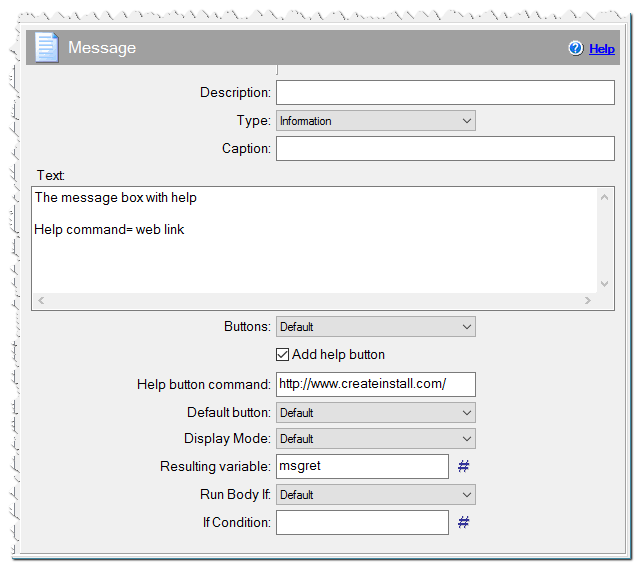
Message command
Resulting Variable
Specify any variable name here if you wish to know which button a user pressed. Later, you can use this macro in other commands. Possible values: $IDOK, $IDCANCEL, $IDABORT, $IDRETRY, $IDIGNORE, $IDYES, $IDNO. For example, ( using in the command Source Code )
if macrox_getint("mymess") == $IDYES
{
$body$
}
The list of values:
IDOK = 1
IDCANCEL = 2
IDABORT = 3
IDRETRY = 4
IDIGNORE = 5
IDYES = 6
IDNO = 7
IDTRYAGAIN = 10
IDCONTINUE = 11
Run Body
You can add any commands inside the Message command. The inner commands of the Message command will run when a user presses a specified button. By default, the body runs when a user presses Yes in a Question and OK in other messages.
Maximum text length
You can set the maximum length of text that appears in the message window, if necessary.
If Condition
You can specify a condition that should be met for the action to be performed. If the condition is false then the command is skipped. See How to use If Condition for more details.
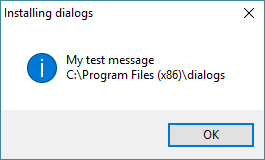
Message example