
How to customize the setup executable file
How to use version number in the file name
As you know, you can specify the name of the program executable file in the Project - Program Details - Version. In this case, the installer will automatically detect the version of the program and assign it the variable ver, which you can use during the installation process. But what if you want to specify the version number in the setup file name, for example, setup-1.0.1.exe. You can't enter setup-#ver#.exe because variables like #variable# are only defined during the installation process. Use the global variable $ver$, it is automatically replaced by the current version of the program that is listed in the Version. For example, you can define Project - Output - Setup Executable Filename like
setup-$ver$.exe
mysetup.$ver$.exe
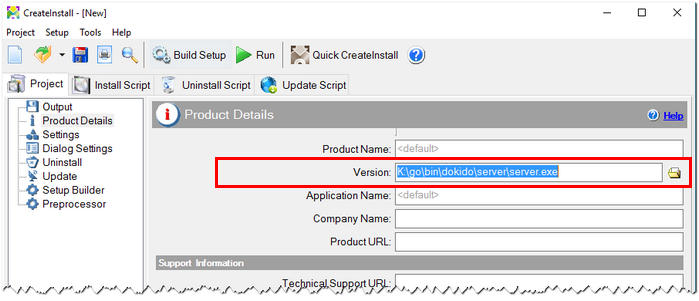
Version
Setting the file timestamp
Let's complement the previous point another undocumented feature. If you specify the executable program file in Version parameter, CreateInstall can automatically set the file timestamp of the setup file the same time as the program file has. It is enough to define a global variable timestamp and assign it to 1. You can do this in the Project - Preprocessor page.
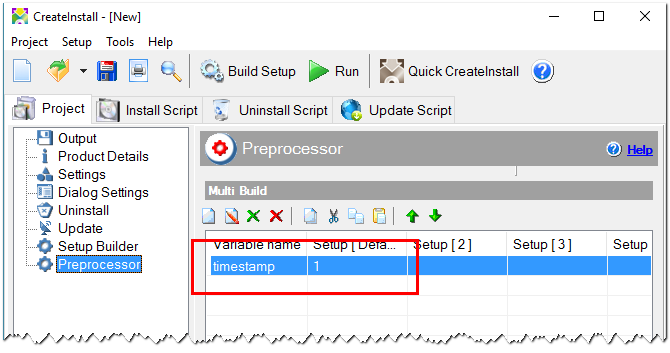
Preprocessor