
CreateInstall Assistant
Our main product, the installer CreateInstall, is a powerful instrument for the creation of installations, but, on the other hand, may seem a bit confusing, complicated and unclear to novices due to its abundance of options. We used to release a series of «light» installers with simple interfaces, which were instantly understandable for the majority of users. They included applications such as Setup Generator, Setup Generator pro, CreateInstall v4 Free, and CreateInstall v4 Light. Understanding that not all users need the full set of options, we developed a very simple version of the installer and included it in CreateInstall distribution packages. It allows you to create installations immediately, without further study of the program. If your installation only requires you to unpack files, record something in the registry and create links, CreateInstall Assistant will serve perfectly well for your purposes.
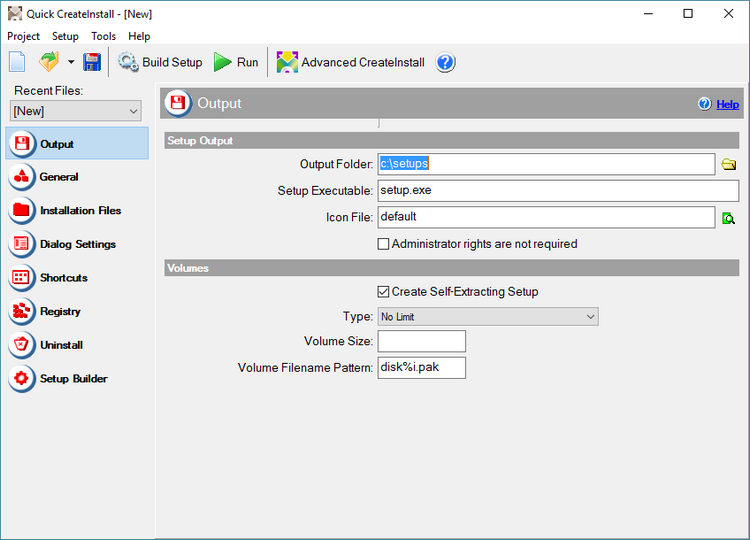
CreateInstall Assistant installer
CreateInstall Assistant is included in the distribution packages of all versions, Full, Light and Free. It does not have additional limitations for use, and does not increase the cost of Full or Light versions. This program is a bonus, which may be useful for many. Distribution packages created with CreateInstall Assistant use the same source code as those created with the advanced versions. In addition, you can easily import your project into CreateInstall if the necessity arises. For example, if you decide at some point to add an option that is only in the full version, you will not have to create the project from the beginning. You will only need to convert the existing project and add what is necessary.
| CreateInstall Assistant menu | Description of CreateInstall Assistant menu items. |
| Output settings | Describes project options, which are responsible for the parameters of the installation file being created. |
| CreateInstall Assistant general settings | General project settings in CreateInstall Assistant are described here. |
| CreateInstall Assistant installation files | How to specify parameters of compression and files to be compressed in your installation. |
| Options and parameters for CreateInstall Assistant installation dialogs | Page with options and parameters for CreateInstall Assistant installation dialogs. |
| Shortcuts in CreateInstall Assistant | You can enter shortcuts you need to create during the installation here. |
| Working with the Registry in CreateInstall Assistant | You can enter all values, which need to be recorded in the registry during the installation here. |
| Uninstaller in CreateInstall Assistant | You can enter uninstallation options for your application here. |
| CreateInstall Assistant installation builder settings | Settings for the program, which creates installations are located here. |