
CreateInstall Assistant general settings
You can specify general options for your installation, such as name, language, and license file.
Application Name
Name of the application being installed. This name will be shown during installation and will also, by default, be used as the name of the folder with files and links.
Version
Specify the version of your application, if necessary. You can indicate the program's main executable file on your hard drive and CreateInstall will automatically take the version from there.
Company Name
You can enter the name of your company here.
Product URL
Your website address. If you specify a website address, there will be a link to your website in the lower left corner of installation dialog windows.
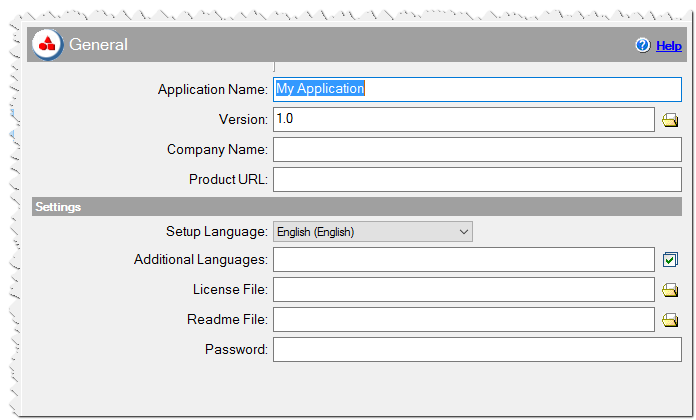
General Settings in CreateInstall Assistant installer
Settings
Setup Language
Indicate the installation’s main language.
Additional Languages
You can indicate other languages for your installation. If you do so, the user will see a dialog window with a list of these languages upon launch of the installation and will be able to change the current language. It should be noted that the installation automatically determines the user's current language and, if included in the list of languages, that language becomes the current language.
License File
If you specify a file with a license agreement (.txt or .rtf) it will be shown during the installation and the user will have to accept it to continue the installation.
Readme File
You can specify a text file (.txt or .rtf) with useful information the user should read.
Password
If you wish, you can protect your installation with a password, without which the user cannot begin decompressing files.