
EN RU
Log in
Home
Download
Purchase
Documentation
Support
Contact us
 
Help  /  Command Reference  /  Dialogs

Dialog - Welcome

Shows a welcome dialog box.

Description, Header Text, Header Description, Text, Logo Image, Buttons, If Condition
These parameters are explained in Common dialog parameters.
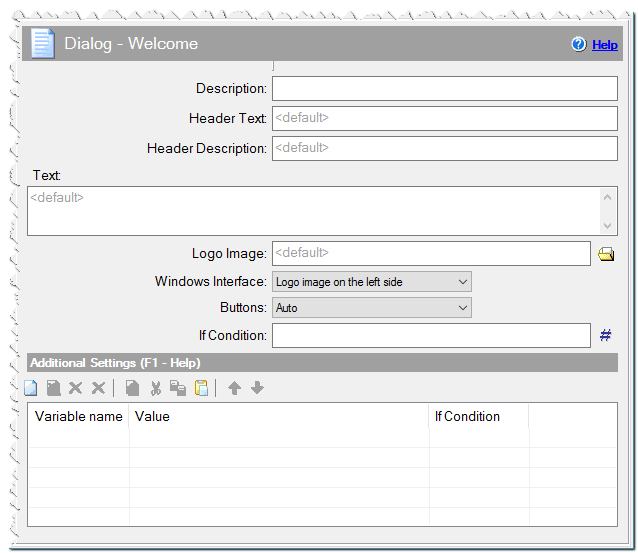
Dialog - Welcome command

Additional Settings
You can define any variables here or specify Variables of dialogs.

Comment
You can add a comment for this setting here.
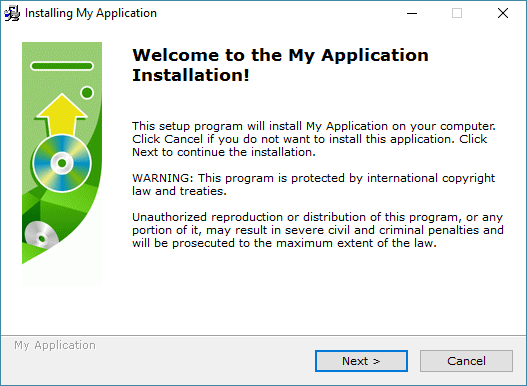
Example of Dialog - Welcome
Eonza automation software - free, open source cross-platform program for easy creation and management of scripts.
  • Command Reference
    • Application
    • Dialogs
      • Dialog - Backup
      • Dialog - Browser
      • Dialog - Checkbox List
      • Dialog - Custom
      • Dialog - Finish
      • Dialog - Language
      • Dialog - License
      • Dialog - Password
      • Dialog - Progress
      • Dialog - Readme
      • Dialog - Ready To Install
      • Dialog - Settings
      • Dialog - Setup Path
      • Dialog - Slideshow
      • Dialog - Start Menu Folder
      • Dialog - Tree
      • Dialog - User Name & Serial
      • Dialog - Welcome
      • Progress Settings
    • Files
    • Internet
    • Messages & Sound
    • Programming
    • Register DLL & Fonts
    • Registry & INI
    • System
    • Text Files
    • Uninstaller
    • Variables
Copyright © Novostrim, OOO, 2009-2026 All rights reserved.