
Progress Settings
Changes the information displayed in the progress dialog box and the status of the progress bar. Use this command only inside the command Dialog - Progress.
Description
Optionally, you may add comments here describing the purpose of this element.
Header Text, Header Description
You can change the text and description of the header.
Text
The text located below the white header of the dialog box.
Directory
You can replace the name of the directory with your own line. This line consists of two parts: the word 'Directory' and the path to the file. You can specify both left and right parts, separating them with the character '>'.
Left line>Right line
> - clear both lines
>Right line
Left line>
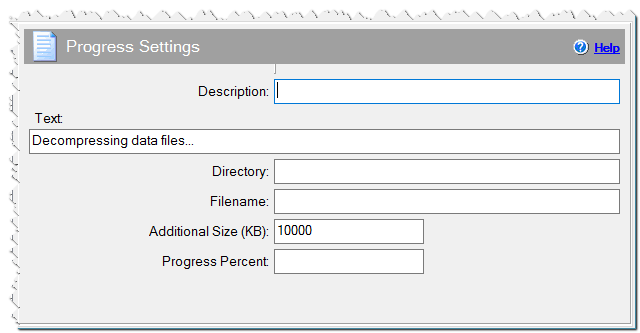
Progress Settings command
Filename
You can specify your values in the line with the name of the file. It works the same as the Directory field.
Additional Size (KB)
You can increase the total size of the files being installed. The additional size is specified in kilobytes.
Progress Percent
You can change the current percent of the progress bar. Specify a new percent here.