
Dialog - Language
Shows a dialog box for choosing language. You can specify additional languages in Settings.
Description, Header Text, Header Description, Text, Logo Image, Buttons, If Condition
These parameters are explained in Common dialog parameters.
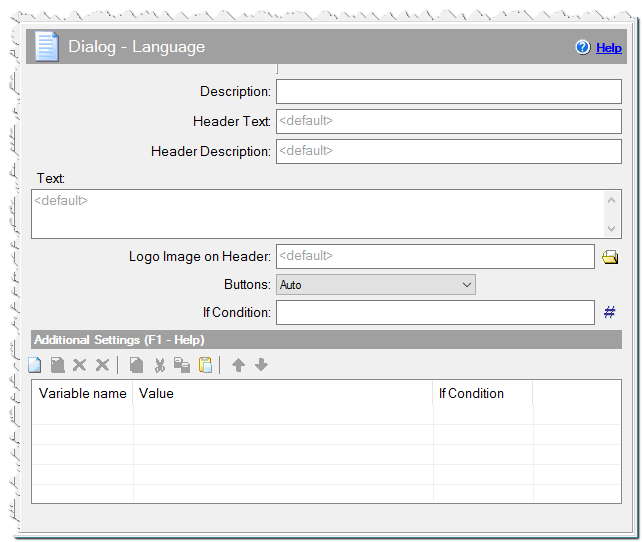
Dialog - Language command
Additional Settings
You can define any variables here or specify Variables of dialogs.
lang_nosort – specify 1 if you want languages to be sorted not in alphabetical order, but in the order in which you defined them. By default, languages are sorted alphabetically.
lang_nonative – specify 1 if you want to show only the English designations of languages. lang_[Language name] – You can redefine the name of languages in the list. For this, add the corresponding variable of the type lang_[Language name] , where Language_name is the name of the language in English. It will correspond with the name of the .lng file in the subdirectory language, where CreateInstall is installed, but begins with a capital letter.
lang_English => English (USA)
lang_Portuguese_br => Portuguese (Brasilia)
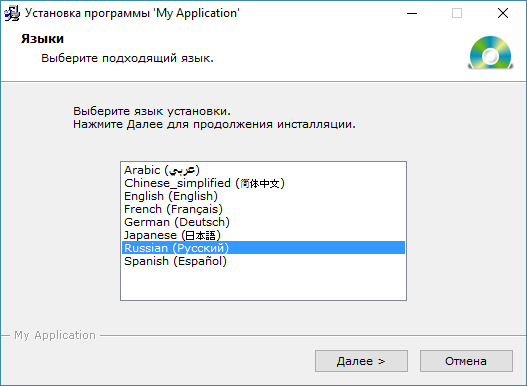
Example of Dialog - Language
Comment
You can add a comment for this setting here.