
EN RU
Log in
Home
Download
Purchase
Documentation
Support
Contact us
 
Help  /  Command Reference  /  Variables

Language Resources

Defines string variables for the specified language. These variables will be assigned automatically when the user changes the language.

Description
Optionally, you may add comments here describing the purpose of this element.

Language
Specify the language name (in English) for which you define the following variables.

German
Russian

Variable Name
The name of the variable. You can specify the string resource from the language file. In this case, specify '*' character in the Value.
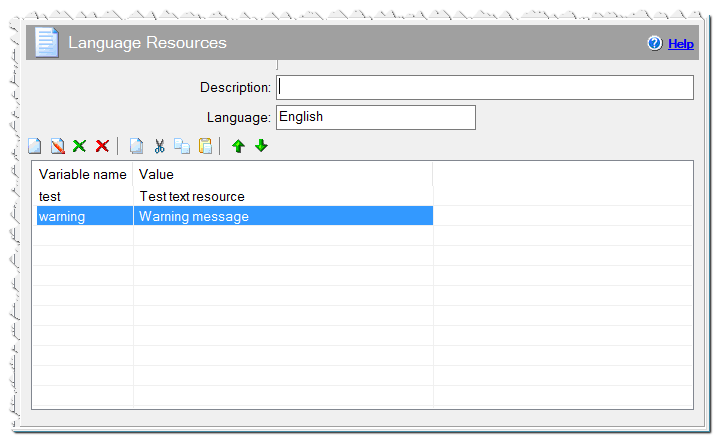
Language Resources command

Value
The value of the string variable.

Comment
You can add a comment for this setting here.

See also

  • Changing and translating language resources in the installation
Eonza automation software - free, open source cross-platform program for easy creation and management of scripts.
  • Command Reference
    • Application
    • Dialogs
    • Files
    • Internet
    • Messages & Sound
    • Programming
    • Register DLL & Fonts
    • Registry & INI
    • System
    • Text Files
    • Uninstaller
    • Variables
      • Command Line Parameters
      • Language Resources
      • Parse Text
      • Replace Text
      • Modify Variable
      • Read variable from file
      • Set Variables
      • Split Variable
      • Substitute Variables in Files
      • Write variable to file
Copyright © Novostrim, OOO, 2009-2026 All rights reserved.