
Write variable to file
Saves the value of the variable to a file.
Description
Optionally, you may add comments here describing the purpose of this element.
Variable name
Specify the name of the variable, data from which will be written to the file.
Substitute Variable Values
If you want all variables #varname# specified in the Variable Name field to be replace with their values, check this option.
Path
Choose the path to the file.
APPLICATION DATA PATH - Program subfolder in Application Data folder.
CDROM PATH - CD or DVD drive.
CUSTOM PATH - The path must be defined in the filename control.
INSTALL PATH - Default installation path.
SETUP FILE PATH - The path to where setup executable file is running.
SYSTEM PATH - Windows system directory.
TEMPORARY PATH - The temporary folder of the installation #tempinstpath#. It is a subfolder genteeXX in the default temporary user's folder #temppath#.
WINDOWS PATH - Windows directory.
Filename
Name of the file to where the value will be written. If you use a CUSTOM PATH, the full path to the file should be specified.
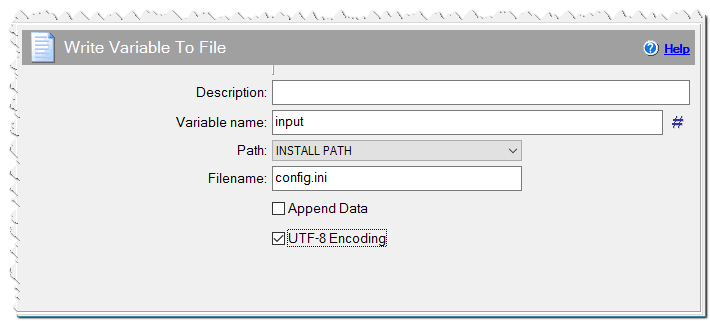
Write variable to file command
Append data
No - The file is overwritten.
Append - The value of the variable is appended at the end of the file.
Insert at beginning - The value of the variable is inserted at the beginning of the file.
Encoding
Select if you want to save the value of the variable in UTF-8 or Unicode encoding.
Remove BOM characters
Check this checkbox if you want remove the UTF-8 or Unicode BOM characters from the beginning of the file.
If Condition
You can specify a condition that should be met for the action to be performed. If the condition is false then the command is skipped. See How to use If Condition for more details.