
Substitute Variables in Files
Replaces variables like #varname# within files. This command replaces all variables of the #varname# type with their values in the specified files.
Description
Optionally, you may add comments here describing the purpose of this element.
Path
Choose the path to a file.
APPLICATION DATA PATH - Program subfolder in Application Data folder.
CDROM PATH - CD or DVD drive.
CUSTOM PATH - The path must be defined in the filename control.
INSTALL PATH - Default installation path.
SETUP FILE PATH - The path to where setup executable file is running.
SYSTEM PATH - Windows system directory.
TEMPORARY PATH - The temporary folder of the installation #tempinstpath#. It is a subfolder genteeXX in the default temporary user's folder #temppath#.
WINDOWS PATH - Windows directory.
Filename or Wildcard
The name or the wildcard of the files to be replaced. If you use a CUSTOM PATH, the full path to the file should be specified.
*.txt
Recursive Search
No - Searches for files in the specified folder only.
Recursive search always - Enables searching in subdirectories.
Recursive search only if use wildcard - If you use Wildcard, you can enable search in subdirectories.
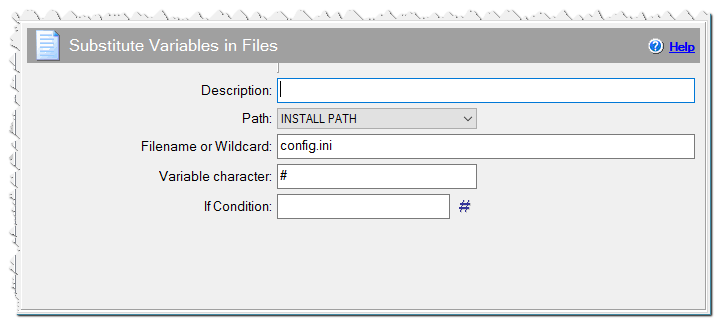
Substitute Variables in Files command
Variable Character
You can specify any variable character instead of '#'. For example, if you specify $ then variables like $varname$ will be replaced.
Encoding
Select if the file is UTF-8 or Unicode encoded.
Remove BOM characters
Check this checkbox if you want remove the UTF-8 or Unicode BOM characters from the beginning of the files.
If Condition
You can specify a condition that should be met for the action to be performed. If the condition is false then the command is skipped. See How to use If Condition for more details.