
Split Variable
Splits the value of the variable into multiple variables similar to string arrays.
Description
Optionally, you may add comments here describing the purpose of this element.
Initial text
The initial text that will be processed. It can be empty, in this case, the current value of the variable will be processed.
#myvariable#
Divider
The divider for splitting. NL - the divider is the new line, SP - the divider is a space.
, - the divider is comma
@
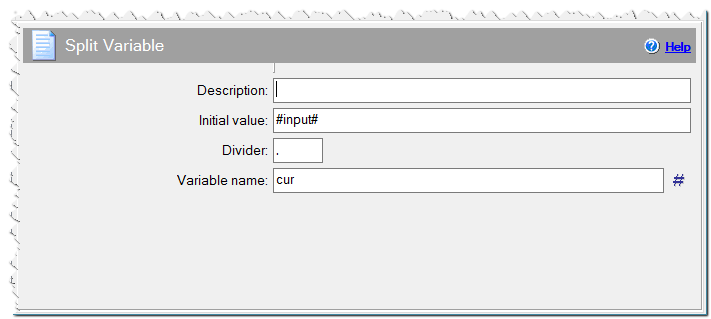
Split Variable command
Variable name
The name of the variable the result string + index will be written to. You will get [varname]1 - the first item, [varname]2 - the second item etc. [varname]count - count of the items. [varname]len - the length of the value.
| Variable name | Description |
| [var]1 | The first item. |
| [var]2 | The second item. |
| [var]i | The i-th item. |
| [var][i]len | The length of the i-th item. For example, myvar1len, myvar2len. |
| [var]count | The item count. |
Example, the initial text is "This is a string", the divider is SP and the variable is myvar then
#myvar1# - This
#myvar2# - is
#myvar3# - a
#myvar4# - string
#myvarcount# - 4
Split only at the first divider
If check, split till the first separator.
Example, the initial text is "This is a string", the divider is SP and the variable is myvar then
#myvar1# - This
#myvar2# - is a string
#myvarcount# - 2
Not remove the spaces and system symbols
Check this box if you do not want to remove the space and system characters from the result variable.
Ignoring empty substrings
Off - If any substrings is empty, it will be included in the result.
On (Mode 1) - Removes the first and last substrings, if it is empty.
On (Mode 2) - Removes all empty substrings.