
EN RU
Log in
Home
Download
Purchase
Documentation
Support
Contact us
 
Help  /  Command Reference  /  Uninstaller

Dialog - Not Deleted Files (Uninstaller)

This dialog shows a list of files not deleted for various reasons during the uninstall. It allows a user to choose to delete these files or retain them. The dialog is skipped if all files were deleted successfully.

Description, Header Text, Header Description, Text, Logo Image, Buttons, If Condition
These parameters are explained in Common dialog parameters.
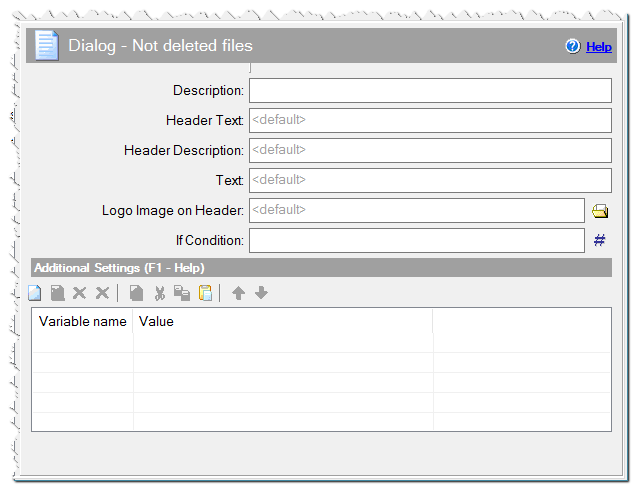
Dialog - Not Deleted Files (Uninstaller) command

Additional Settings
You can define any variables here or specify Variables of dialogs.

Comment
You can add a comment for this setting here.

Eonza automation software - free, open source cross-platform program for easy creation and management of scripts.
  • Command Reference
    • Application
    • Dialogs
    • Files
    • Internet
    • Messages & Sound
    • Programming
    • Register DLL & Fonts
    • Registry & INI
    • System
    • Text Files
    • Uninstaller
      • Add To Add/Remove List
      • Run Uninstaller
      • Create Uninstall & Update Exe
      • Dialog - Confirmation
      • Dialog - Finish
      • Dialog - Not Deleted Files
      • Dialog - Progress (Uninstaller)
      • Log Processing
      • Log String [Registry]
      • Log string [File]
      • Uninstall Log Mode
    • Variables
Copyright © Novostrim, OOO, 2009-2026 All rights reserved.