
Run Uninstaller
This command will delete the previous version of application from user’s computer. If you already have an installed version, you should create uninstaller using CreateInstall – do not run this command for deleting applications which were installed by other installers. Unlike uninstall.exe which executes using the Run Application command, this command waits for full completion of the process of deleting the application.
Uninstaller Executable File
Uninstaller, defined on Project – Uninstall page, will be run by default. Usually it is a #setuppath#\uninstall.exe. That’s why it is better to execute this command after an installation path has been chosen by the user. If your installation path is saved in the registry, then you can take the value from the registry and insert this path here together with the uninstaller file name.
#currentpath#\uninstall.exe
#setuppath#\myuninstall.exe
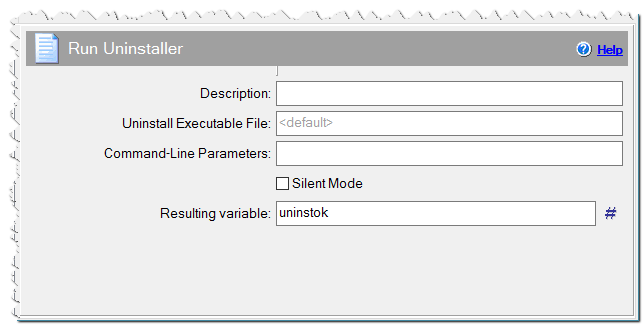
Run Uninstaller command
Command line parameters
Command line parameters can be specified for the uninstall command.
Silent Mode
Deletion of the installed application will be executed in hidden mode. For that you should specify the parameter for silent installation in the Project – Settings page.
Variable Name
Name of the variable where the call result will be written.
0 – Uninstall successfully completed
1 – User did not complete deletion of the application
100 – Executable uninstall file was not found
101 – Uninstaller was not created with the CreateInstall program