
Uninstall
General settings for the uninstaller.
Include Uninstaller
Check this box to include a full-featured uninstaller in your installation.
Checked => The uninstaller is included.
Path
A directory where the uninstall executable file will be created.
APPLICATION DATA PATH - Program subfolder in Application Data folder.
CUSTOM PATH - The path must be defined in the filename control.
INSTALL PATH - Default installation path.
SYSTEM PATH - Windows system directory.
TEMPORARY PATH - The temporary directory of the installation #tempinstpath#. It is a subfolder genteeXX in the default temporary user's folder #temppath#.
WINDOWS PATH - Windows directory.
Uninstall Executable File
The uninstall executable file name.
#setuppath#\tools\myuninst.exe (if CUSTOM PATH)
Uninstall Log Filename
The uninstall log filename. All files, keys and objects that are created during the installation process are stored in it.
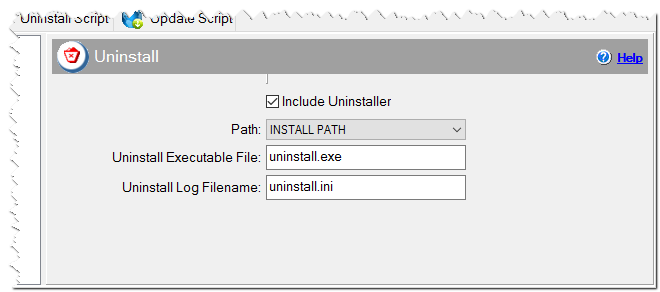
Uninstaller settings