
Output
Settings of the installation executable file.
Setup Output
Output Folder
The path where your install file(s) will be saved.
Setup Executable
The name of the executable file which will be used to start the installation process. You can use the $ver$ global variable here and in Output Folder.
setup.exe
install.exe
setup$ver$.exe
myapp.exe
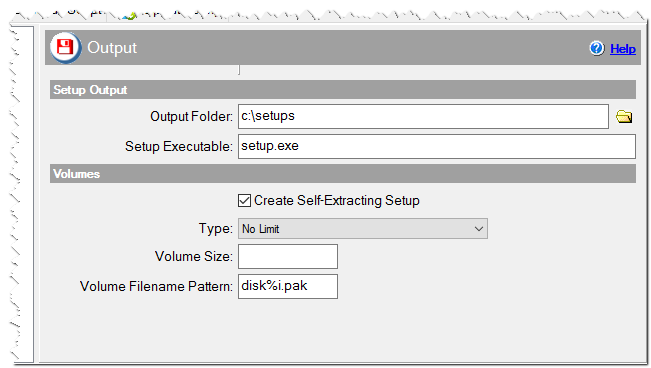
Output settings of the installation
Volumes
Use the Volumes section to specify the installation volume size.
Create Self-Extracting Setup
Checked => files are included in the executable file. Do not check if you have large files.
Type
No limit - the installation will not be divided into volumes.
Volume size (KB) - you have to specify volume size as kilobytes in the field below.
Volume size (MB) - you have to specify volume size as megabytes in the field below.
Volume size
Maximum volume size in Kilobytes or Megabytes according Type.
Volume Filename Pattern
If you create a multi-volume installation, you can specify the volume name template here. If you specify disk%i.pak then the volumes will have the following names: disk1.pak, disk2.pak, disk3.pak etc.
disk%i.pak
myapp%02i.dat